Main Page
Welcome to the Wiki of Radarcape and Mode-S Beast
The Radarcape and the Mode-S Beast are the most powerful Mode-S and Mode-A/C receivers and decoders on the spotters market.
While the Mode-S Beast is designed to be used as USB device and requires external decoding software, the Radarcape with its embedded Linux plattform adds own decoding and network connectivity.
This page provides technical support and information about the Radarcape and the Mode-S Beast.
Product Pages
 |
 |
 |
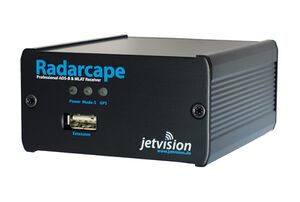
| The Radarcape is a standalone device and includes the features of the Mode-S Beast plus many other features: Easy usage
Raw data and interfaces
Low Level Access
Data Feeding
Remember, that all features above are available at the same time and in parallel. The Radarcape connects to your PC via network, as such it is ideal also for remote locations. |
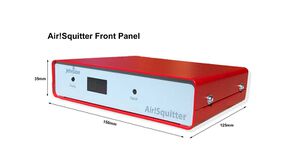
The Air!Squitter is a follow-up of the Radarcape with an additional optional built in SDR based Flarm receiver. It is a nice desktop unit and offers WiFi as Client and Access point. In oder to make installation easier, it is designed for our common ADS-B/GPS antenna, so you only need one antenna cable and no separate GPS antenna. |
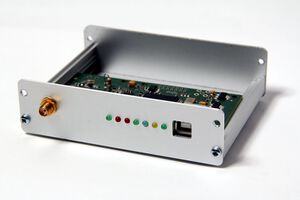
The Mode-S Beast is a simple USB device, like a USB mouse, and includes a receiver and frame decoder. It is completly USB powered. It points with
|
Most Often Asked Questions
Software Update Problems
Please note the latest release notes that can be found https://wiki.jetvision.de/wiki/Radarcape:Version_History
⇒ all newer releases need to install a patch release beforehands: https://wiki.jetvision.de/wiki/Radarcape:Version_History#Version_250807.0003.02
Reason for the 1st step is to get rid of errors like this:
 Err:3 http://deb.debian.org/debian buster Release
   404  Not Found [IP: 146.75.74.132 80]
Instead it should afterwards reference to http://archive.debian.org/debian
If you experience problems installing a new version
1st step:
Please go to Settings -> Software Maintenance -> Software Update.
you should see 251112.2000.02 (or later) prewritten there overwrite this with 250807.0003.02. Mind any spaces before and after these numbers press Update and wait 3 minutes
Note: there won't be any update of the installed version number in the title bar after this step. This change fully and only stays in the background. Please proceed to the 2nd step without expecting any output.
2nd step:
Please go to Settings -> Software Maintenance -> Software Update.
You should see 251112.2000.02 (or any later version prewritten there)
press Update and observe the progress.
If then the 251112.2000.02 (or other) does not install, share your output with [email protected]
General Information
- Information about antennas and filters can be found in the accessories section.
- For questions consult the Beast Forum.
- Conventions used in this Wiki